
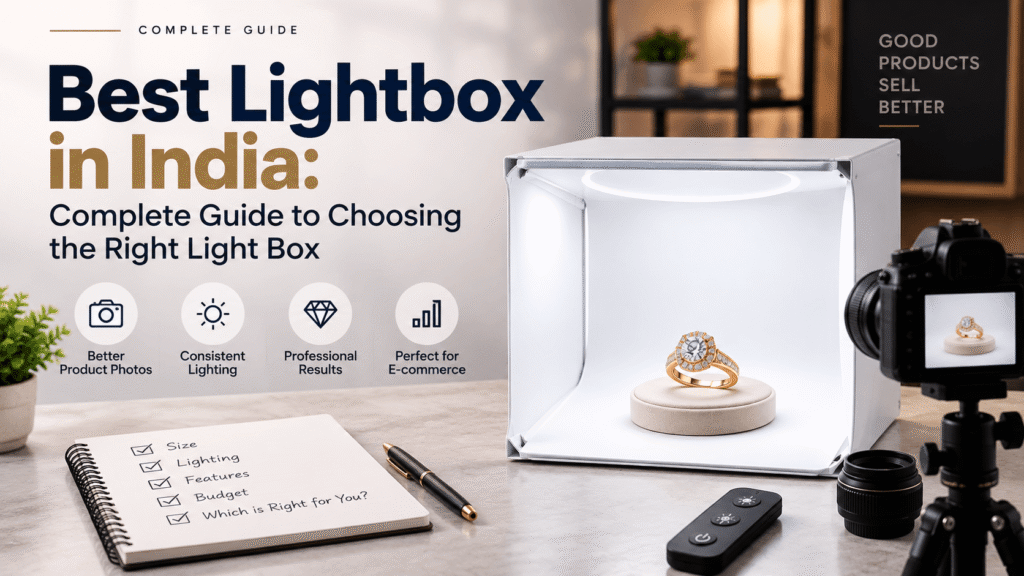
Best Lightbox in India: Complete Guide to Choosing the Right Light Box
If you have ever tried photographing jewellery with a phone or camera in a room you probably already know the problem.
The jewellery may look beautiful in your hand. The moment you take a photograph something changes. Gold starts reflecting the room. Diamonds lose some of their sparkle.You might notice reflections on polished metal, shadows that appear unexpected or colours that simply do not look right.
Jewellery is small very detailed and highly reflective. This makes jewellery one of the items to photograph well. A controlled lighting environment can make a difference because reflective surfaces easily pick up the surroundings around them.
That is exactly why many jewellers and jewellery businesses invest in a lightbox. Many jewellers and jewellery businesses invest in a lightbox.
Finding the lightbox in India is not simply, about buying a box with the highest number of LEDs or the biggest size available.
The right choice depends on what you photograph how often you create content. Perhaps most importantly how you want your final photos and videos to look.
This guide will help you understand what actually matters when choosing a box for jewellery photography.
First What Do You Really Need a Light Box For?
Before looking at specifications it helps to think about the problem you are trying to solve.
For some businesses the goal is simply to take product photographs for an online catalogue.
For others the requirement may be much broader. They may need:
- Product photographs for a website
- Images for WhatsApp sharing
- Instagram posts
- Reels and short videos
- Multiple product angles
- Consistent images across hundreds of jewellery pieces
These are different requirements.
A basic portable light box may be perfectly suitable for photographing a rings or earrings. However a jewellery business that regularly launches collections may need a more complete photography workflow.
The useful light box is therefore not necessarily the one with the longest list of features. It is the one that fits the way you actually create content.
1. Lighting Quality Comes Before Everything Else
When it comes to jewellery photography lighting is where most of the real work happens.
Jewellery does not simply sit under a light. Look good automatically.
Questions to Ask Before Buying a Light Box
If you are comparing options these questions can help you narrow down what you actually need.
Gold, silver and polished metals act, like mirrors. Gold, silver and polished metals reflect the light source, the room, the camera and sometimes even the photographer. Gemstones add another challenge because gemstones need the balance of light to show colour and detail without looking flat.
This is why diffused and controlled lighting works better for jewellery, than lighting. A light box creates a controlled environment. Can help soften shadows and reflections.
What Should You Look For?
When comparing boxes pay attention to:
- How evenly the product is illuminated
- Whether the lighting is adjustable
- How reflections are controlled
- Colour consistency
- Diffusion quality
- The placement of the lights around the product
One useful point to remember is that more LEDs do not on its mean better jewellery photographs.
The way the light is diffused and positioned often matters more, than the number of LEDs.
For a jewellery business consistency is also important.
If one product looks warm and the next one looks noticeably different your catalogue can start to feel inconsistent.
2. Choose a Size Based on Your Jewellery Not Just Your Budget
Size is one of the things to overlook.
A small light box may look perfectly adequate when you first see it. Then you try photographing a necklace, a bangle or a complete jewellery set and suddenly there is no room to position the product properly.
The light box should comfortably fit not the jewellery itself but also any stand, holder or accessory you need during photography.
Recent guidance on jewellery light boxes also emphasises leaving working room around the product. A box that barely fits the jewellery may limit your ability to adjust reflections, positioning and camera angles.
Think About What You Photograph Often
A smaller setup may work well for:
- Rings
- Earrings
- Small pendants
- Loose stones
A larger setup may be more suitable for:
- Bangles
- Bracelets
- Watches
- Necklaces
- Larger pendants
- Jewellery sets
of choosing based only on the products you photograph today it is worth thinking a little ahead.
If your business is growing and you expect to photograph a variety of products choosing a setup with some additional flexibility can save you from needing to upgrade too soon.
3. Background Options Can Completely Change the Presentation
The same jewellery piece can look very different depending on the background, behind it. I have seen the same jewellery piece look very different when the background changes.
This is why background flexibility is useful.
White Background
White backgrounds are usually the choice for clean product-focused photography.
They work well for:
- E-commerce websites
- Product catalogues
- Marketplace listings
- Clean website product images
A white background keeps the presentation simple and directs attention towards the jewellery.
Black Background
Black backgrounds create a different mood.
They can be useful for:
- Premium product presentations
- Luxury social media content
- High-contrast visuals
- Creative jewellery campaigns
A darker background can make certain jewellery pieces stand out dramatically particularly when the product has contrast against the background.
Both approaches have their place. White is often practical for product presentation while black can be more useful when you want a stronger more premium visual style.
JD LIGHT BOX Advantage
JD LIGHT BOX includes both White and Black background options allowing jewellery businesses to create styles of content without completely changing their photography setup.
4. If You Create Videos, a Turntable Becomes More Important
A few years ago a single product photograph was often enough.
Today that is rarely the case.
Jewellery businesses now create:
- Instagram Reels
- Product videos
- Rotating jewellery videos
- Website product content
- WhatsApp presentations
- Social media advertisements
Customers also want to understand how a piece looks from angles.
A front view may show the design but it may not reveal the side profile, depth, stone setting or other details.
This is where a turntable can be genuinely useful.
Of manually repositioning the jewellery again and again a rotating platform can help capture more consistent angles and create smoother video content. Rotation platforms are commonly used to simplify multi-angle and 360-degree product content.
JD LIGHT BOX Advantage
JD LIGHT BOX includes a multi-angle turntable designed to help capture jewellery from:
- 360° views
- 90° views
- 45° views
For jewellers creating regular product content this can make it easier to show more of the product without repeatedly changing the entire setup.
5. Do Not Buy a Light Box for Still Photography if Your Marketing Is Video-First
Before choosing a light box take a moment to look at how you market your jewellery.
If most of your customers discover products through Instagram or other social platforms video may already be a part of your content strategy.
A setup designed for still photography may eventually feel limiting.
A flexible setup allows you to create different formats from the same product session:
- Clean product photographs
- Close-up detail shots
- Rotating videos
- Multiple angles
- Short social media clips
That ability to change things up can be really helpful for companies that take pictures of lots of items each month. That ability to change things up can be really helpful, for companies that take pictures of lots of items each month.
The easier it is to create types of content from one setup the less time you need to spend preparing the product again and again.
6. Editing Controls Should Make the Workflow Easier for You because I know how busy a studio can be.
Photography is not finished when you press the capture button I always keep my eyes open, for the next step.
Images often need adjustments before they are shared or published. I usually spend a few minutes tweaking them.
Depending on the jewellery and the lighting you may want to adjust:
- Temperature
- Tone
- Contrast
The purpose of these controls should not be to change how the jewellery looks.
The goal should be to create a presentation that remains close to the actual product.
For businesses that photograph products regularly simple adjustments inside a workflow can save time compared with transferring every image to separate editing software.
JD LIGHT BOX Application
The JD LIGHT BOX application allows users to capture and adjust photos and videos using controls such as:
- Temperature settings
- Tone adjustment
- Contrast control
This helps keep the workflow simpler for teams that need to create regular product content without relying on a complicated editing process for every piece.
7. Consider Branding Before You Start Sharing Content
A jewellery photograph does not always stay on your website.
It may be:
- Shared with customers
- Sent through WhatsApp
- Posted on Instagram
- Used by sales teams
- Published on digital platforms
Once an image leaves your business branding can help maintain a connection between the content and your brand.
For that reason it can be useful to add:
- Your logo
- A watermark
- Product details
- Jewellery information
as part of the content preparation process.
JD LIGHT BOX Advantage
The JD LIGHT BOX application allows jewellery businesses to add branding and product details directly to their content before sharing.
This can reduce the number of steps required after the photography session.
8. Look at the Complete Workflow Not Just the Light Box
This is probably one of the important points in the entire buying process.
Do not evaluate a box as an isolated product.
Think about what happens before and after photography. Photography begins with planning. Ends with sharing the final image. Photography requires preparation, capturing and then reviewing the results.
A typical jewellery content workflow can look something, like this: The jewellery content workflow starts with brainstorming ideas moves to design sketches to photography follows with editing and finally to publishing the finished piece.
- Clean the jewellery
- Position the product
- Set up the lighting
- Choose a background
- Capture photographs
- Capture videos
- Make basic adjustments
- Add branding
- Prepare the content for publishing
If your setup only solves one step of that process you may still spend an amount of time moving between different tools and applications.
For businesses that regularly photograph products an efficient workflow can often be more valuable, than one individual feature.
9. Jewellery Preparation Still Matters
Even the best light box cannot hide everything.
A fingerprint on gold, a small piece of dust on a gemstone or an incorrectly positioned product can become surprisingly noticeable in a close-up image.
Before photography it is worth checking that the jewellery is:
- Clean
- Free from fingerprints
- positioned
- Free from visible dust
- Presented at the right angle
I do find that Jewellery photography guides always say that preparation and positioning are key. Jewellery photography guides remind us that close‑up images show details that our eyes might not notice. Jewellery photography guides show that when we do preparation and positioning well the small sparkle and texture become clear, to anyone who looks. Jewellery photography guides help us see the hidden beauty that’s easy to miss.
JD LIGHT BOX Accessories
JD LIGHT BOX includes accessories and cleaning tools designed to support jewellery preparation, positioning and cleaning before photography.
These small details can make the photography process more practical when handling products.
10. Think About Where the Final Content Will Be Used
The right light box should support the type of content your business actually needs.
Your images and videos may eventually appear on:
- Your jewellery website
- E-commerce platforms
- Digital catalogues
- Client presentations
- Advertising campaigns
Each platform can require a different presentation.
For example:
A clean white-background image may work well for a product listing.
A black-background image may work better for a premium campaign.
A rotating video may be more engaging on media.
A close-up may be useful for highlighting craftsmanship or gemstone details.
A flexible photography setup gives you the ability to create these outputs without rebuilding your entire setup every time.
What Makes JD LIGHT BOX a Complete Jewellery Photography Solution?
When people search for the lightbox in India they often focus only on lighting.
Lighting is important of course. Jewellery photography involves much more than that.
You also need to think about positioning, angles, backgrounds, videos, editing and the final presentation of the content.
JD LIGHT BOX is designed around this workflow.
Advanced Lighting Setup
I set lighting around the photography area to cut down on shadows and reflections. Lighting keeps jewellery clear.
Multi-Angle Turntable
The specialised turntable allows jewellery to be captured from angles including:
- 360°
- 90°
- 45°
White and Black Background Options
Two background options allow businesses to choose between clean product-focused visuals and darker more premium presentations.
Dedicated Application
The JD LIGHT BOX application helps users capture and adjust photos and videos using controls for temperature, tone and contrast.
Branding and Product Details
Users can add:
- Logos
- Watermarks
- Jewellery details
directly to their content.
Ready-to-Post Output
The workflow is designed to help create content for:
- Websites
- Client sharing
- Other digital platforms
Jewellery Accessories and Cleaning Tools
The setup also includes essential accessories to support jewellery preparation and positioning.
What Questions To Ask Before Purchasing Light Box?
If you have several options to compare, these questions may be helpful in narrowing your search.
What kinds of jewellery am I photographing?
You must consider your product portfolio when selecting the equipment you’ll use.
How often do I create content?
While a jeweller shooting his/her products once a while may require a completely different solution, compared to a business creating daily content.
Do I need videos in addition to photography?
In case of using Reels, product videos or rotating views, make sure the lightbox will support your workflow.
Do I need multiple backgrounds?
Having White and Black background options may give you additional freedom.
Do I need to take photographs of a product from multiple angles?
If yes, you may consider turntable/multi angle solution.
How much editing do I want to perform after shooting?
There are businesses, which are fine with detailed editing. On the other hand, there are businesses which want their content to be ready and shared as fast as possible.
These answers will say you far more about the lightbox you should buy than specification comparison.
So, Which One Is The Best Lightbox in India?
There is no answer which applies to all cases.
The lightbox which is perfect for a small jewellery seller who shoots several rings may be wrong for a jewellery brand producing hundreds of product images and videos.
The main thing is to select a lightbox according to your workflow.
Lightbox for jewellery business must provide the controlled environment, sufficient space, multiple background options and lighting to manage reflections and shadows. In case your marketing strategy includes video and multi-angle content, these options must be considered too.
For jewellery businesses interested in advanced photography solutions, JD LIGHT BOX provides advanced lighting, multi-angle photography, White and Black background options, application-based setup options, branding and jewellery preparation accessories.
Conclusion
Buying lightbox must not become the quest for the biggest box or brightest LEDs.
Ask yourself the following questions:
What does my jewellery photography process need to do for my business?
Do I only need clean catalogue images?
Do I need Instagram videos too?
Do I shoot rings now, but going to photograph large jewellery collections in the future?
Do I want to edit each photograph or I want to simplify the process?
After you have answered these questions, your task will be far more clear.
For